Eight channels. One clean install.

Take control of your accessories.

RidgeRelay is an 8-channel relay control board for vehicle accessories—ditch lights, light bars, beacons, and whatever you want within reach.

RidgeRelay orange logo mark

Built for the way you actually wire a vehicle

Mount the board, connect a relay to each channel, and control the rest from your phone or dash screen. The board switches each output to ground, so your accessories keep their own fused power path.

1

Power the board

Use a fuse tap for 12V+ and the shared chassis ground. The board accepts 5 to 24V DC.

2

Wire your relays

Connect each relay coil to 12V+ and its RLY terminal. Each channel sinks to ground when commanded on.

3

Control the rig

Tap a tile in the RidgeRelay app, use the on-board test buttons, or use CarPlay and Android Auto.
The useful stuff is already on the board

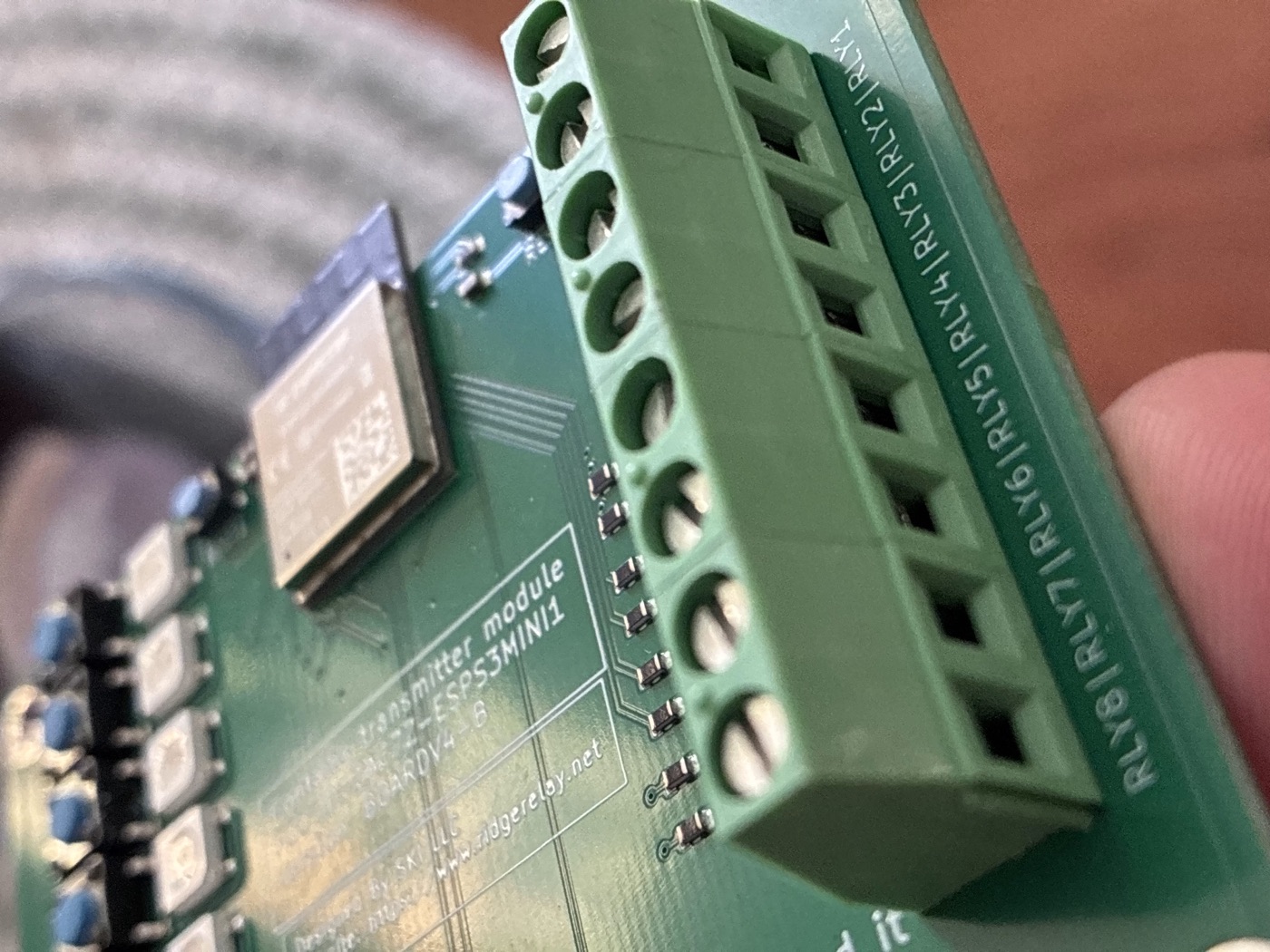
8 trigger channelsConnect one relay to each labeled RLY1–RLY8 terminal.
Bluetooth LENo PIN or classic Bluetooth pairing. Pair when you want to configure it.
Test buttonsCheck an install at the board before opening the app.
CarPlay and Android AutoPut your relays where your eyes already are.
Make it yoursRename channels, choose icons, and pick a dash color.
Safe power-upEvery channel starts off when the board powers up.
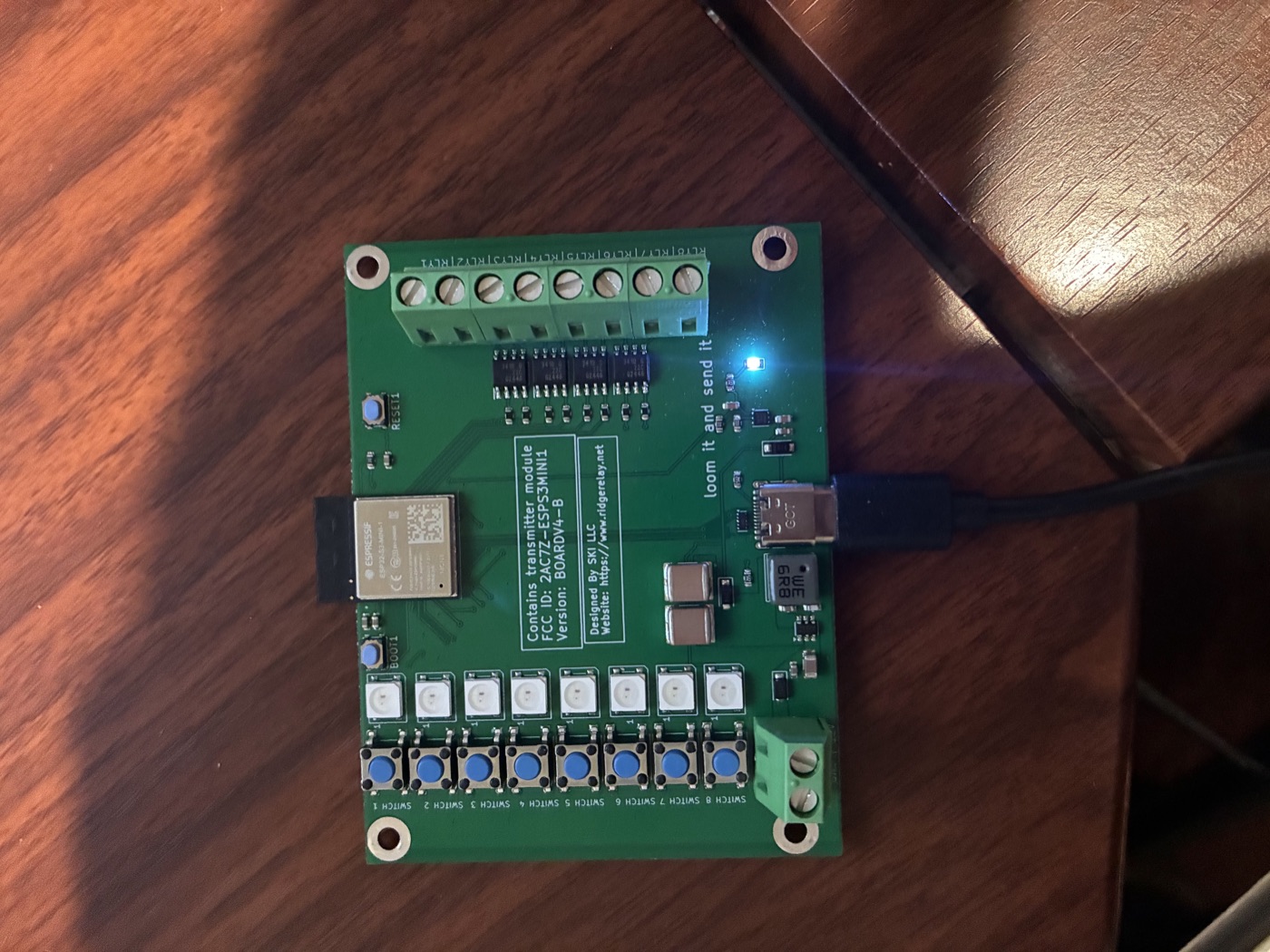
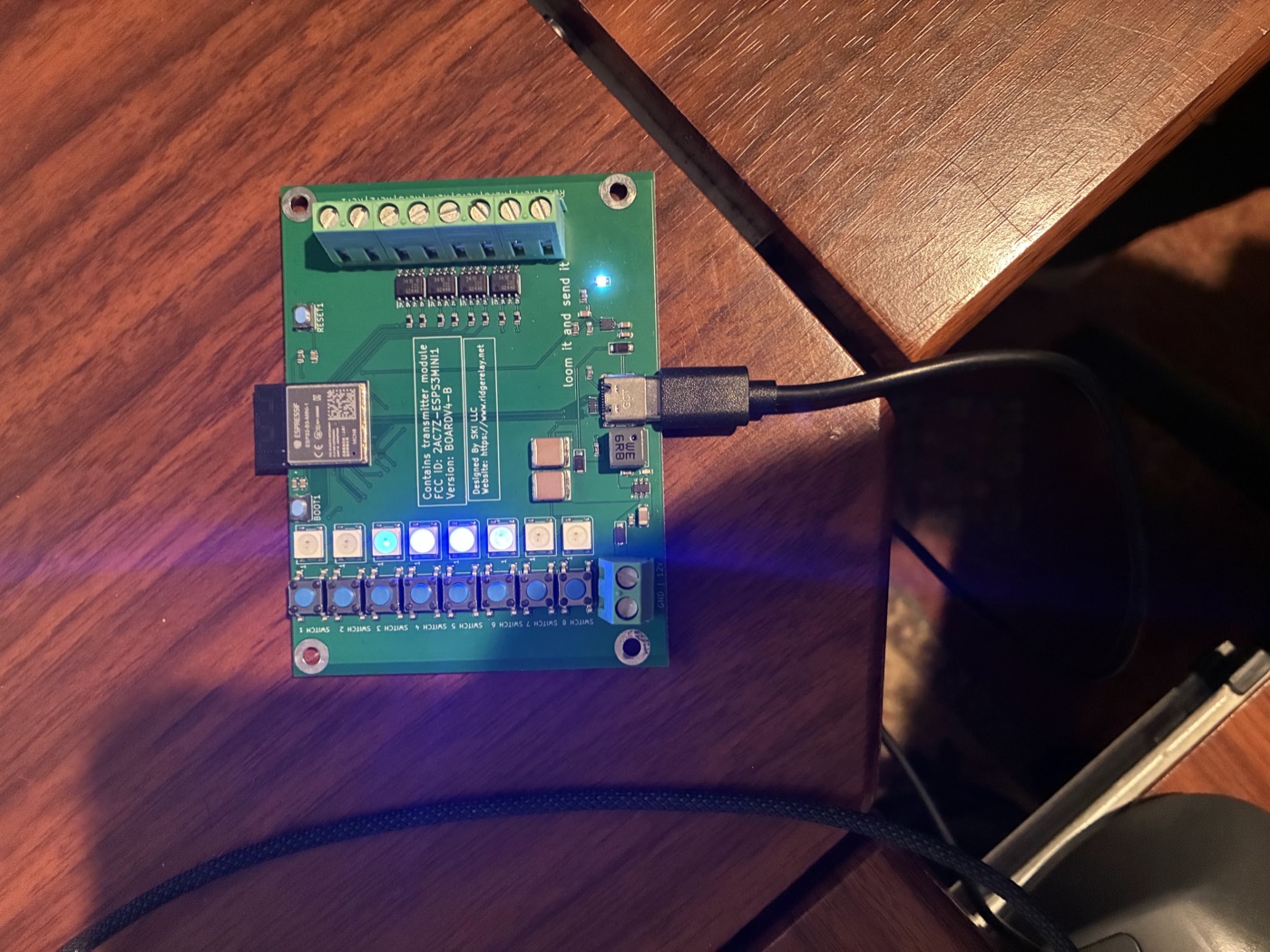
RidgeRelay circuit board powered with blue and green status LEDs
Close-up of RidgeRelay RLY1 through RLY8 screw terminalsRidgeRelay board connected to USB-C on a workbench

See it in action

RidgeRelay overview video

Video coming soon. When it is ready, the YouTube player will load only after you choose to play it.

See our privacy policy for how deferred video loading works.

Take the guide with you

Scan to open RidgeRelay on your phone, then keep the installation guide close while you wire.

Open the install guide
QR code linking to the RidgeRelay website
Privacy is part of the product.
The RidgeRelay app uses Bluetooth to control your board. It does not use analytics or tracking. The site also avoids analytics and loads video only when you ask for it. Read the privacy policy.
 Download on the App StoreGoogle Play · Coming soon